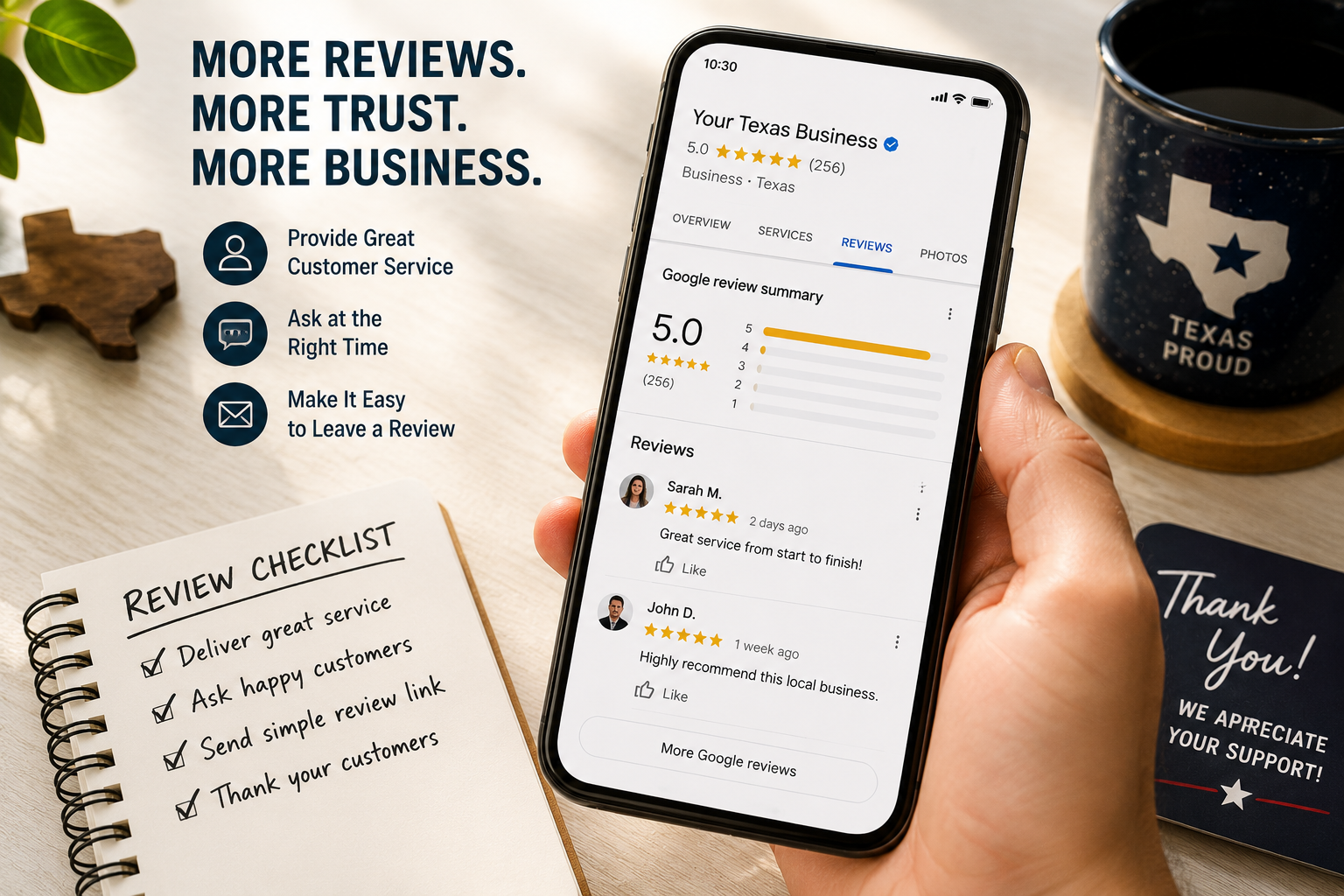
Why Google Reviews Matter for Texas Businesses
Google reviews help potential customers evaluate a business before they call, visit, request a quote, or book an appointment. When people compare nearby options in Google Search or Google Maps, they often look at review quantity, recent feedback, rating trends, owner responses, photos, and whether the business appears active and trustworthy.
For Texas small businesses, authentic reviews can support local visibility and build confidence at an important decision point. They give future customers a clearer picture of what it is like to work with your company, buy from your business, or use your services.
The goal is not to collect reviews at any cost. A strong review strategy makes it easy for real customers to share honest feedback, while giving the business a consistent process for monitoring and responding to what customers say.
When to Ask for a Google Review
The best time to ask for a review is shortly after a completed service, purchase, appointment, or positive customer interaction. The experience is still fresh, the customer can remember relevant details, and the request feels connected to the service they received.
For a service business, ask after the work is complete and the customer has confirmed that the issue was resolved. For retail, hospitality, or professional services, ask after a successful purchase, visit, delivery, or milestone. Avoid asking during a stressful interaction, before a problem is resolved, or in a way that makes the customer feel pressured.
Ask every customer for an honest review—not only the customers you expect to leave positive feedback. This creates a more credible process and helps your business learn from genuine customer experiences.
Make Leaving a Review Easy
Customers are more likely to leave a review when the process is quick and clear. Do not make them search for your profile or navigate through several pages to find the right place.
Make your Google review link available through:
- A short follow-up email after a completed service or purchase
- A text message sent with the customer’s permission
- A QR code on invoices, receipts, business cards, counters, or thank-you materials
- A link on a customer follow-up page or email signature
- A polite in-person request from a team member after a positive interaction
Keep the request simple. Let customers know that their honest feedback helps future customers and helps your team improve. Do not require them to use specific words, mention a city, or give a particular star rating.
Use a Simple, Compliant Review Request
A good review request should be brief, respectful, and neutral. Ask for an honest review rather than asking specifically for a five-star rating or only asking customers who had a positive experience.
You can use this message:
Thank you for choosing [Business Name]. If you have a moment, we would appreciate an honest Google review about your experience. Your feedback helps our team and helps other local customers make informed decisions. [Review Link]
Do not offer discounts, gift cards, entries, refunds, or other incentives in exchange for reviews. Do not use review gating, which means screening customers before directing only satisfied people to leave public feedback. These tactics can harm trust and may conflict with platform policies.
Respond to Positive Reviews
Responding to positive reviews shows customers that their feedback is noticed and appreciated. A short, personal reply can reinforce the experience without sounding copied or overly promotional.
A useful response usually includes:
- A thank-you for the customer’s time and feedback
- A specific reference to the service, visit, or experience when appropriate
- A warm, professional closing
- No sensitive customer information
For example:
Thank you for taking the time to share your experience, [First Name]. We are glad our team could help with your [service]. We appreciate your business and look forward to helping you again.
Avoid posting the same response to every review. A genuine response feels more credible than a template repeated word for word.
Respond to Negative Reviews Professionally
A negative review can feel personal, but your response is visible to future customers as well as the reviewer. Stay calm, professional, and focused on resolving the issue rather than arguing about it publicly.
A good response should:
- Acknowledge the customer’s concern
- Express regret that their experience did not meet expectations
- Avoid sharing private details or making accusations
- Offer a direct way to continue the conversation offline
- Be posted promptly after reviewing the situation
For example:
We are sorry to hear that your experience did not meet expectations. We take this feedback seriously and would appreciate the opportunity to learn more and address your concern. Please contact us at [phone number or email] so our team can help.
Do not pressure a customer to delete or change a review. Focus on resolving legitimate issues and improving the customer experience going forward.
Avoid These Google Review Mistakes
Avoid practices that can undermine customer trust or create compliance problems:
- Buying reviews or posting reviews from employees, family members, or people who were not real customers
- Offering discounts, gifts, or rewards in exchange for a positive review
- Asking only satisfied customers to leave public feedback
- Writing reviews on a customer’s behalf
- Using copied responses for every review
- Ignoring negative feedback or responding emotionally
- Sharing private customer, account, order, or service details in a public reply
- Letting outdated reviews or unanswered questions accumulate without monitoring the profile
A smaller number of authentic, recent reviews is more valuable than a large number of questionable reviews.
Support Your Google Business Profile
Reviews are one part of a complete Google Business Profile. Your business name, categories, contact details, hours, service areas, photos, services, website link, and updates should accurately reflect how the business operates today.
For more help with profile setup and maintenance, read TXPAGES’ guide to Google Business Profile optimization for Texas businesses. Consistent review management works best alongside accurate local listings, useful service pages, and a website that gives customers an easy next step.
TXPAGES provides local SEO and listings management for Texas businesses, including Google Business Profile support, citation consistency, review strategy, and local visibility improvements.
Google Review Checklist
Use this checklist to create a review process your team can follow:
- Confirm your Google Business Profile is verified, complete, and accurate.
- Create and test a direct Google review link.
- Decide when your team should ask for an honest review.
- Use a consistent, neutral review-request message.
- Make the link easy to access through email, text, QR codes, or follow-up materials.
- Monitor new reviews on a regular schedule.
- Respond professionally to positive and negative feedback.
- Keep private customer details out of public replies.
- Never buy reviews, offer incentives, or screen customers for positive feedback.
- Review recurring feedback to identify service improvements your business can make.
Get a Clear Local Visibility Plan
A review strategy works best when it is part of a broader local SEO plan. Your Google Business Profile, website, service pages, local listings, customer experience, and lead tracking should work together to make it easier for customers to find and choose your business.
A TXPAGES Visibility Report can identify Google Business Profile gaps, review-management opportunities, listing inconsistencies, website improvements, and local-search priorities for your Texas business.
Request your free TXPAGES Visibility Report to get a practical roadmap for improving local visibility and customer trust.